
What is Charming?
Charming is a free, open-source JavaScript library for creative coding and data-driven drawing. It has two parts:
- Charming Core, a declarative language for drawing shapes from data, with renderers for Canvas, WebGL and the terminal (ASCII art).
- Helpers for working with SVG and HTML, Canvas, paths, text, vectors and noise directly, with little boilerplate.
Both are designed to work alongside other libraries such as D3 and p5, and can be adopted independently.
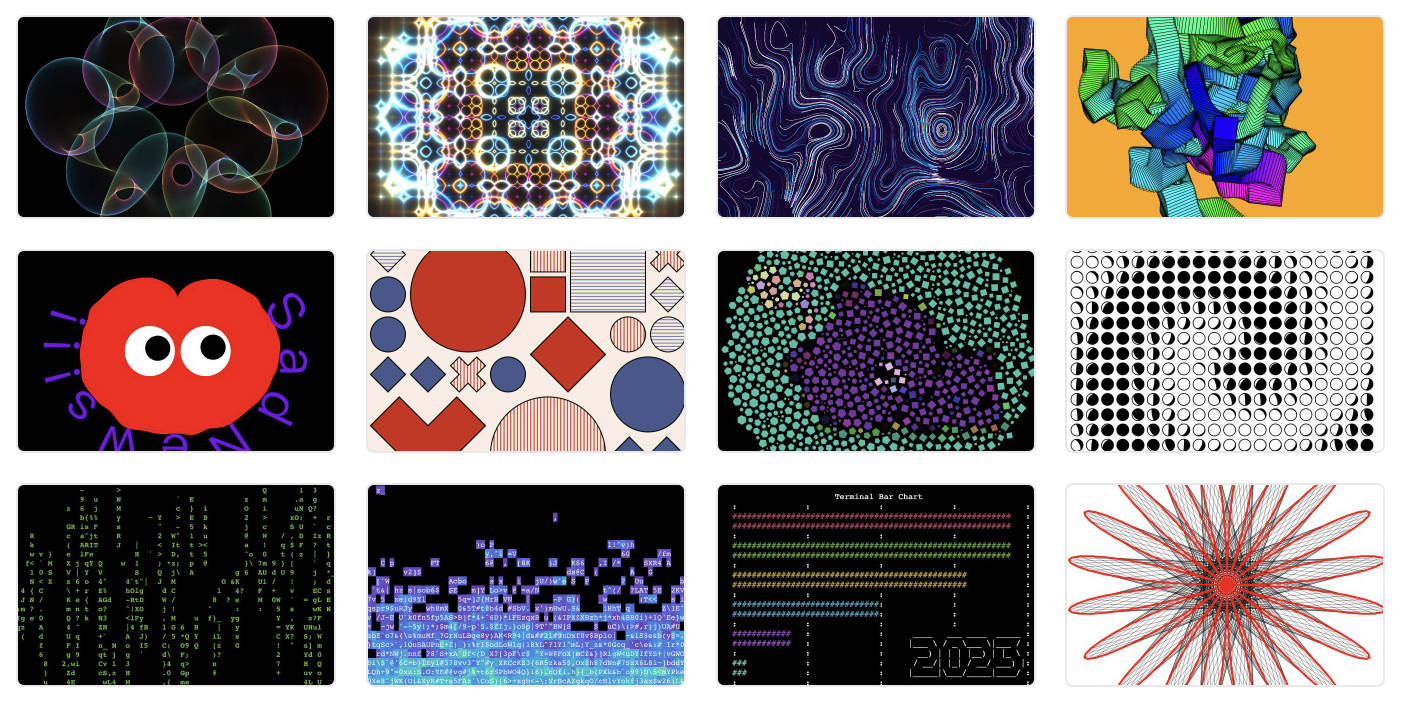
The core of Charming is built on one observation: visualization and generative art are both data-driven. Visualization is typically driven by data from daily life, while computational art is driven by data generated by algorithms.
For example, here is a clover made of circles, whose positions come from a clover curve. Charming covers the whole drawing pipeline: prepare data, append shapes and transform their attributes. The declarative style makes the relationship between the data and the shapes easy to see.
(() => {
  const renderer = cm.canvas({width: 640, height: 640});
  const root = cm.flow().renderer(renderer);

  root
    .data(Array.from({length: 120}, (_, i) => (i * Math.PI) / 120))
    .append(cm.circle, {
      x: (t) => Math.cos(t) * Math.cos(t * 3),
      y: (t) => Math.sin(t) * Math.cos(t * 3),
      r: (t) => t,
      fill: "black",
    })
    .transform(cm.mapPosition, {padding: 30})
    .transform(cm.mapAttrs, {r: {range: [8, 15]}});

  root.render();

  return renderer.node();
})();const renderer = cm.canvas({width: 640, height: 640});
const root = cm.flow().renderer(renderer);
root
.data(Array.from({length: 120}, (_, i) => (i * Math.PI) / 120))
.append(cm.circle, {
x: (t) => Math.cos(t) * Math.cos(t * 3),
y: (t) => Math.sin(t) * Math.cos(t * 3),
r: (t) => t,
fill: "black",
})
.transform(cm.mapPosition, {padding: 30})
.transform(cm.mapAttrs, {r: {range: [8, 15]}});
root.render();
document.body.append(renderer.node());This example is too simple to show the true charm of Charming. To fix that, let's draw 2,500 circles whose positions, radii and strokes are computed by trigonometric functions, frame by frame. It's a reimplementation of Ricky Reusser's Instanced WebGL Circles, with more readable code.
(() => {
  const width = 640;
  const height = 640;
  const count = 2500;
  const theta = Array.from({length: count}, (_, i) => (i / count) * Math.PI * 2);
  const renderer = cm.canvas({width, height});
  const root = cm.flow().renderer(renderer);
  const node = renderer.node();
  let time = 0;
  let frame = requestAnimationFrame(function tick() {
    if (!node.isConnected && time > 0) return;
    time += 0.02;
    const dist = (d) => 0.6 + 0.2 * Math.cos(d * 6.0 + Math.cos(d * 8.0 + time));

    root.append(cm.clear, {fill: "black"});
    root
      .data(theta)
      .append(cm.circle, {
        x: (d) => Math.cos(d) * dist(d),
        y: (d) => Math.sin(d) * dist(d),
        r: (d) => 0.2 + 0.12 * Math.cos(d * 9.0 - time * 2.0),
        stroke: (d) => {
          const th = 8.0 * d + time * 2.0;
          const r = 0.6 + 0.4 * Math.cos(th);
          const g = 0.6 + 0.4 * Math.cos(th - Math.PI / 3);
          const b = 0.6 + 0.4 * Math.cos(th - (Math.PI * 2.0) / 3.0);
          return `rgb(${Math.round(r * 255)}, ${Math.round(g * 255)}, ${Math.round(b * 255)})`;
        },
        fill: "transparent",
        strokeOpacity: (0.15 * 2000) / count,
      })
      .transform(cm.mapPosition, {padding: 100})
      .transform(cm.mapAttrs, {r: {range: [24, 96]}});

    root.render();
    frame = requestAnimationFrame(tick);
  });
  unsubscribe(() => cancelAnimationFrame(frame));

  return node;
})();const width = 640;
const height = 640;
const count = 2500;
const theta = Array.from({length: count}, (_, i) => (i / count) * Math.PI * 2);
const renderer = cm.canvas({width, height});
const root = cm.flow().renderer(renderer);
let time = 0;
requestAnimationFrame(function frame() {
time += 0.02;
const dist = (d) => 0.6 + 0.2 * Math.cos(d * 6.0 + Math.cos(d * 8.0 + time));
root.append(cm.clear, {fill: "black"});
root
.data(theta)
.append(cm.circle, {
x: (d) => Math.cos(d) * dist(d),
y: (d) => Math.sin(d) * dist(d),
r: (d) => 0.2 + 0.12 * Math.cos(d * 9.0 - time * 2.0),
stroke: (d) => {
const th = 8.0 * d + time * 2.0;
const r = 0.6 + 0.4 * Math.cos(th);
const g = 0.6 + 0.4 * Math.cos(th - Math.PI / 3);
const b = 0.6 + 0.4 * Math.cos(th - (Math.PI * 2.0) / 3.0);
return `rgb(${Math.round(r * 255)}, ${Math.round(g * 255)}, ${Math.round(b * 255)})`;
},
fill: "transparent",
strokeOpacity: (0.15 * 2000) / count,
})
.transform(cm.mapPosition, {padding: 100})
.transform(cm.mapAttrs, {r: {range: [24, 96]}});
root.render();
requestAnimationFrame(frame);
});
document.body.append(renderer.node());But imagination doesn't stop here. With the WebGL renderer, GLSL functions and some math, you can even write shader art without writing a shader program. This example comes from Shadertoy:
(() => {
  const width = 640;
  const height = 360;
  const dpr = devicePixelRatio;
  const palette = cm.glsl`vec3 palette(float t) {
    vec3 a = vec3(0.5, 0.5, 0.5);
    vec3 b = vec3(0.5, 0.5, 0.5);
    vec3 c = vec3(1.0, 1.0, 1.0);
    vec3 d = vec3(0.263, 0.416, 0.557);
    return a + b * cos(3.1415926 * 2.0 * (c * t + d));
  }`;
  const renderer = cm.webgl({width, height});
  const root = cm.flow().renderer(renderer);
  const node = renderer.node();
  let time = 0;
  let frame = requestAnimationFrame(function tick() {
    if (!node.isConnected && time > 0) return;
    time += 0.02;
    const fill = cm.glsl`vec4 fill(vec2 coord, vec4 color) {
      vec2 uv = (coord - vec2(${(width * dpr) / 2}, ${(height * dpr) / 2})) / ${(height * dpr) / 2};
      vec2 uv0 = uv;
      vec3 rgb = vec3(0.0);
      for (float i = 0.0; i < 4.0; i++) {
        uv = fract(uv * 1.5) - 0.5;
        float d = length(uv) * exp(-length(uv0));
        vec3 col = ${palette}(length(uv0) + i * 0.4 + ${time} * 0.4);
        d = sin(d * 8.0 + ${time}) / 8.0;
        d = abs(d);
        d = pow(0.01 / d, 1.2);
        rgb += col * d;
      }
      return vec4(rgb, 1.0);
    }`;
    root.append(cm.rect, {x: 0, y: 0, width, height, fill});

    root.render();
    frame = requestAnimationFrame(tick);
  });
  unsubscribe(() => cancelAnimationFrame(frame));

  return node;
})();
The best part is that besides regular computational art, Charming supports ASCII art. Change the renderer to the terminal renderer to draw with characters, for example a fire:
(() => {
  const cols = 70;
  const rows = 28;
  const fire = Array.from({length: rows}, () => new Array(cols).fill(0));
  const renderer = cm.terminal({cols, rows});
  const root = cm.flow().renderer(renderer);
  const node = renderer.node();

  function randomChar() {
    return String.fromCharCode(32 + Math.floor(Math.random() * 95));
  }

  // Each cell takes the heat of the cell below it, or of its neighbor, minus a random decay.
  function update() {
    const noise = cm.noise(0, rows);
    for (let y = 0; y < rows - 1; y++) {
      for (let x = 0; x < cols; x++) {
        const decay = Math.floor(Math.random() * 3);
        const spread = Math.floor(Math.random() * 2) - 1;
        const index = Math.min(Math.max(0, x - spread), cols - 1);
        fire[y][x] = Math.max(0, fire[y + 1][index] - decay);
      }
    }
    for (let x = 0; x < cols; x++) fire[rows - 1][x] = noise(x / 10) | 0;
  }

  function draw() {
    root.append(cm.clear, {fill: "black"});
    root
      .data(fire)
      .append(cm.group, {x: 0, y: (_, i) => i})
      .data((row) => row)
      .append(cm.point, {
        x: (_, i) => i,
        y: 0,
        stroke: (heat) => (heat === 0 ? null : {ch: randomChar(), bg: d3.interpolateCool(heat / rows)}),
      });

    root.render();
  }

  let last = 0;
  let frame = requestAnimationFrame(function animate(time) {
    if (!node.isConnected && last > 0) return;
    if (time - last >= 1000 / 15) {
      last = time;
      update();
      draw();
    }
    frame = requestAnimationFrame(animate);
  });
  unsubscribe(() => cancelAnimationFrame(frame));

  return node;
})();
Why ASCII art? Life is not only about work, you know.
And when you'd rather work with SVG or Canvas directly, the helpers remove the boilerplate without adding a new abstraction. For example, cm.svg creates data-driven SVG from a template literal:
(() => {
  const data = Array.from({length: 12}, (_, i) => i);
  return cm.svg`<svg ${{width: 640, height: 80}}>
    <circle ${{
      data,
      cx: (d) => 30 + d * 50,
      cy: 40,
      r: (d) => 6 + d * 1.5,
      fill: (d) => `hsl(${d * 30}, 70%, 55%)`,
    }}/>
  </svg>`;
})();const data = Array.from({length: 12}, (_, i) => i);
cm.svg`<svg ${{width: 640, height: 80}}>
<circle ${{
data,
cx: (d) => 30 + d * 50,
cy: 40,
r: (d) => 6 + d * 1.5,
fill: (d) => `hsl(${d * 30}, 70%, 55%)`,
}}/>
</svg>`;Read Why Charming? for the ideas behind it, Get Started to install it, or browse the API Index. For more, see the examples.